

Your Rewards are generated on a monthly basis. If you have been sharing your membership with your friends and family, you may have rewards to claim! Follow the prompts below to view your rewards and how to redeem via your Ultimate Rewards Visa debit card.
Please click the arrow below to set up your Rewards account!
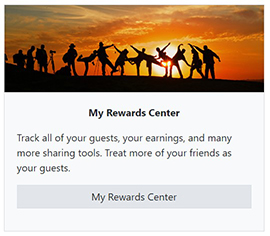
Login to lxtr.net. On your Host Dashboard click on 'My Rewards Center'
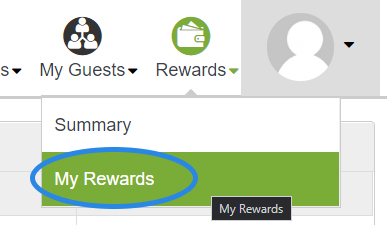
From the Rewards Center Dashboard navigate to Rewards Summary by using the top navigation bar. Mouse over 'Rewards' and from the drop down select 'My Rewards'
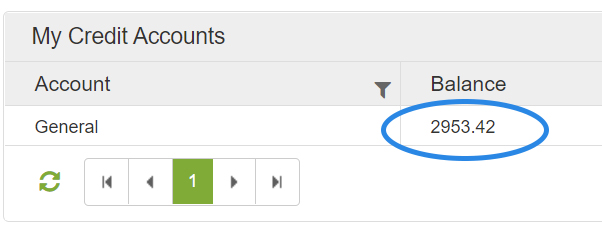
On the My Rewards page, if you have earned rewards, the Balance column should show a total with the rewards you have earned.
If your page does not show a balance, that's OK! In order to earn rewards we have multiple sharing tools available on the Host Dashboard. The more you share, the more you can earn!
If you do have a balance, please continue the following instructions on redeeming your rewards.
In order to redeem your rewards, you must first create a withdrawal account.
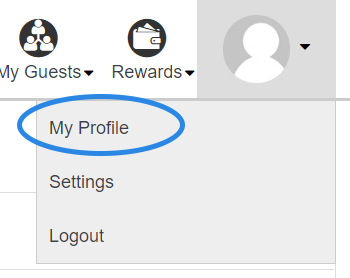
Please mouse over the top right Profile image and select 'My Profile'.
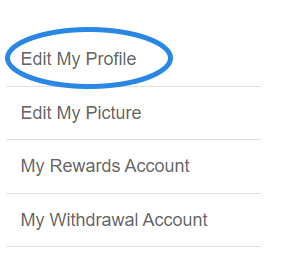
On the left hand side of the Profile page, click 'Edit My Profile'.
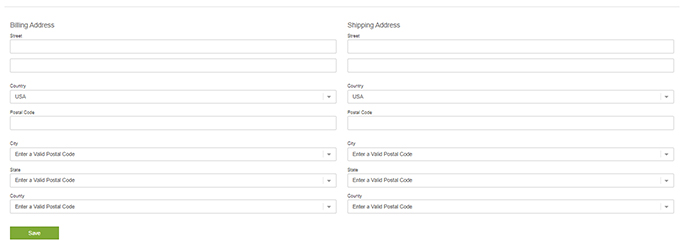
On the My Profile - Edit page, please scoll down to the bottom of the page an confirm that your billing and shipping address is correct.
If your address is blank, please complete the form and click 'Save'. This is required to create your withdrawal account.
NOTE: Tax ID is required on this form. Please enter your SSN, this is for tax purposes.
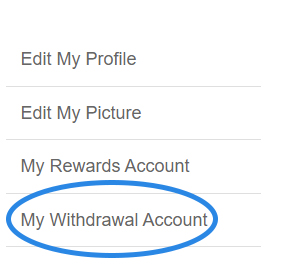
On the left hand side navigation bar, click 'My Withdrawal Account'.
In the top right, please click the green 'New' button.
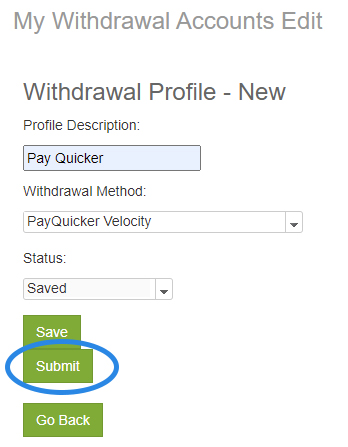
Please complete the form to request the creation of a withdrawal account.
For Description, you can simply enter 'Pay Quicker'.
Under Withdrawal Method select 'PayQuicker Velocity'.
Click 'Submit'.
This form will generate a request within our system and will be approved within 48 hours.
NOTE: If you cannot select a Withdrawal Method, please refer back to step 6 to enter your address.
Please navigate back to the 'My Rewards' page.
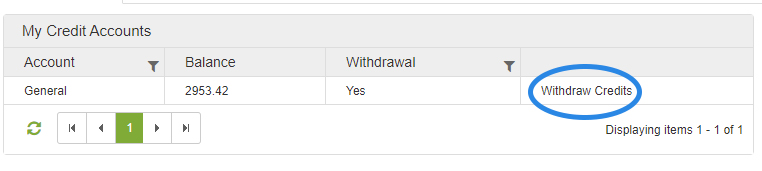
On the 'My Rewards' page, please click 'Withdraw Credits' in the far right column.
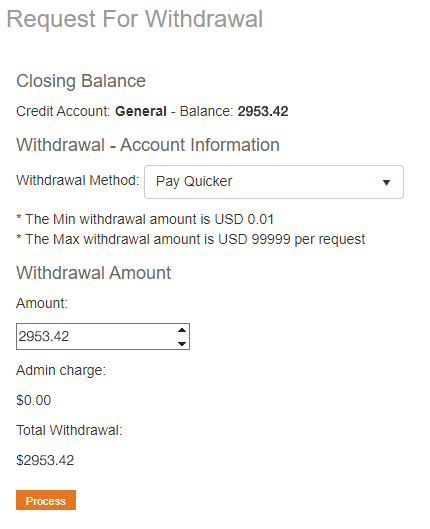
Complete the form to create a Withdrawal Request.
In the dropdown, select your 'Withdrawal Account'.
In the Amount field, you can choose how much of your reward you would like transfered to your PayQuicker account.
Click 'Process'.
Once you have submitted your request, please allow up to 48 hours for the request to be approved.
Congratulations! You have now finished setting up your payquicker account. Once your account has been fully activated, you will recieve your Ultimate Rewards Visa card in the mail.
We hope that you continue to earn rewards and enjoy the benefits of being a Luxury Travel Rewards Member!